Your booking website
A booking website of your own.
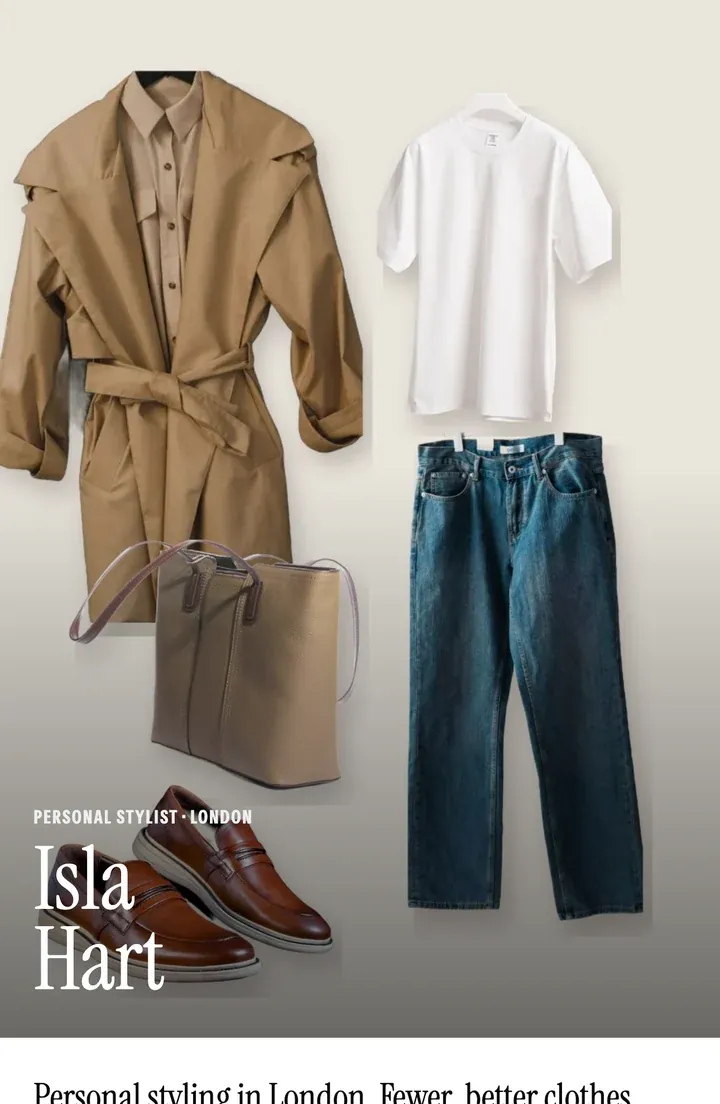
Your work, your services and the times you’re free, at closetboard.app/@you. Put it in your Instagram bio and let people book while you sleep, with just a name and an email.
Included in every plan, with 14 days free.
For your clients
Booked in three steps.
No account to make and no app to download: people book you from the link in your bio, on any phone or computer.
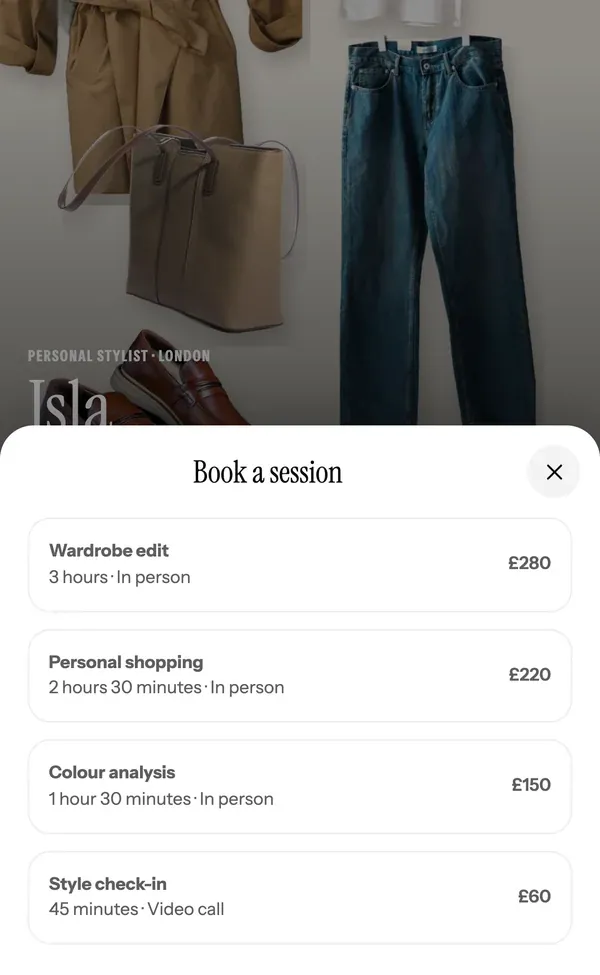
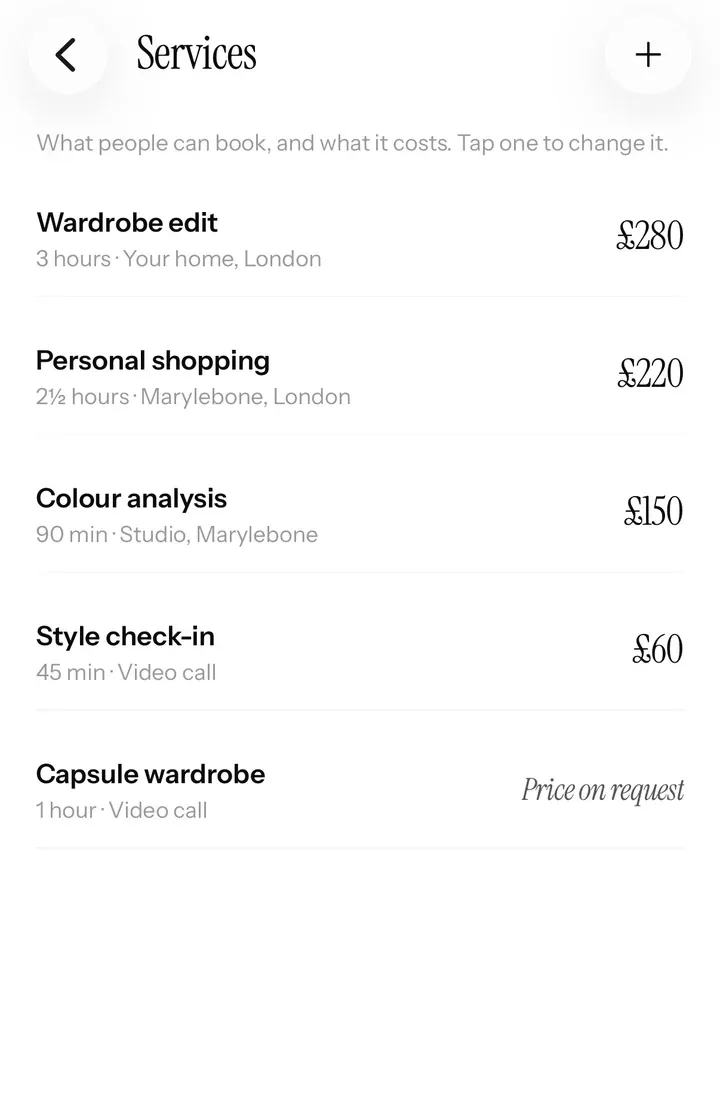
- Pick a service: your services, with their prices and how long each one takes.
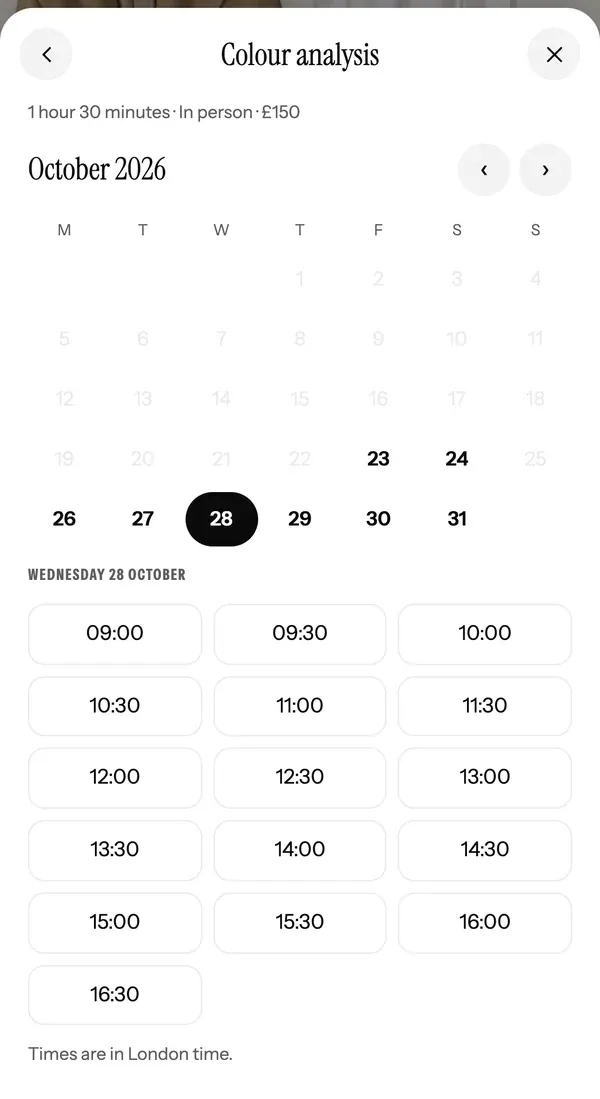
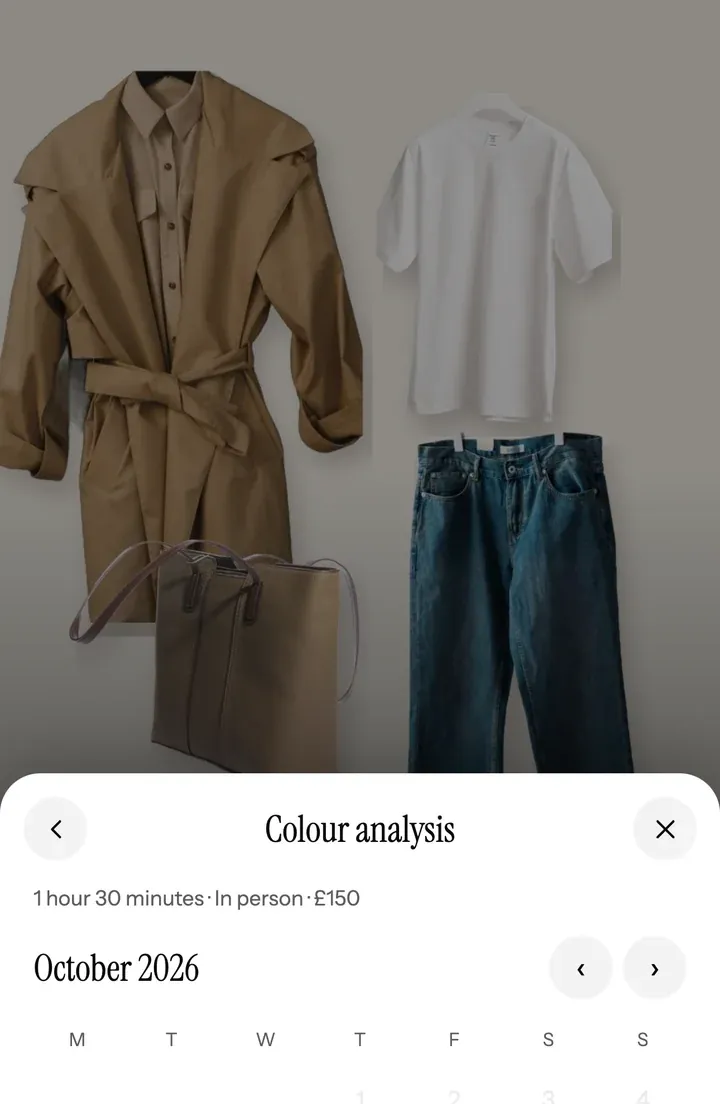
- Pick a time: only your real free times show, after your notice, your breaks between sessions and your busy time.
- Check and book: your cancellation rules are shown up front. A name and an email is all it takes, and a confirmation goes out at once.
Make it yours
Seven layouts. Your colours.
Start from Magazine, Framed, Split, Minimal, Collage, Links first or Work first. Pick one of six colours or your own, and one of three font pairs.
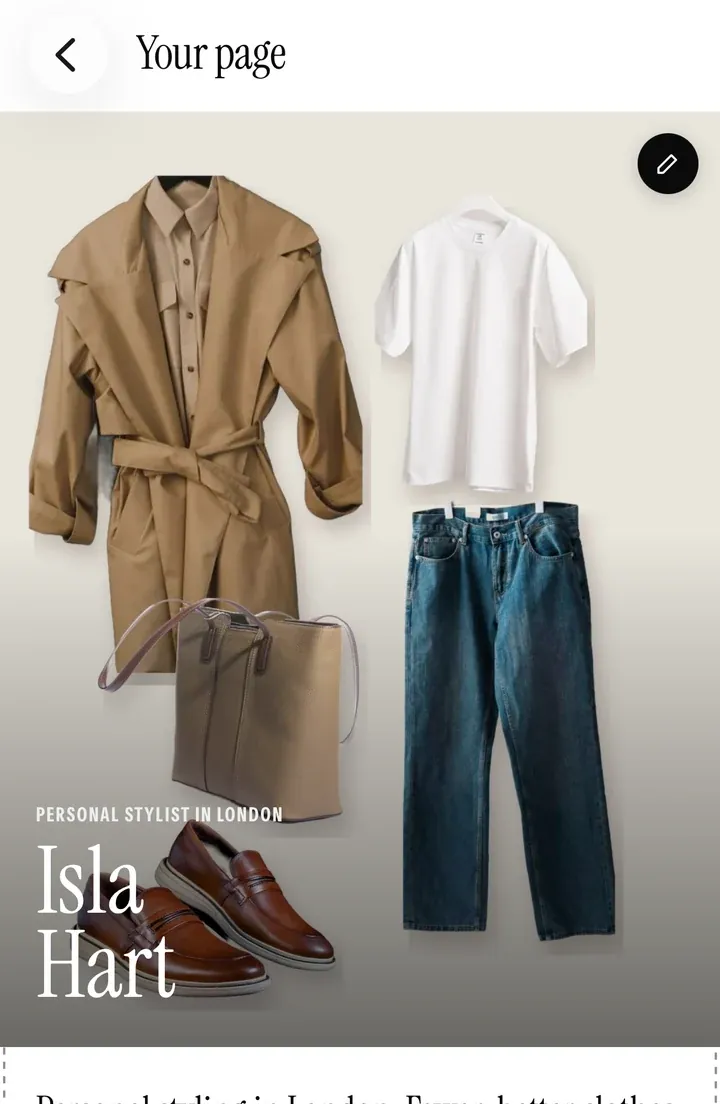
- Edit it on the page. Tap the pencil on any part of your live page in the app, and see the change as your clients will.
- Your order. Turn sections on and off, and move them up or down.
- Your link. closetboard.app/@yourname, for your Instagram bio, your Google profile and your own website.
Show your work
Everything a client wants to see before they book.
Your work
Up to 24 pictures of looks you’ve styled, wardrobes you’ve edited and sessions you’ve run.
Your story
Who you are, who you work with and how you like to work.
What a session is like
From the first message to what they keep afterwards, so nobody books blind.
Your FAQs
The things every new client asks, answered once.
Where you’ve been featured
Magazines, podcasts and brands you’ve worked with.
Reviews
Client reviews you pick, and Google’s own reviews box with your rating, kept up to date by Google.
Prices your way
Show prices, or keep them private.
Many stylists don’t publish prices. On Closetboard you choose for each service:
- Show the price, or a “from” price for sessions that vary.
- Ask for a quote: people tell you what they need, and you reply with a price.
- A call first, for sessions you’d rather talk through.
- A private price link, to send to the people you choose.
A price you keep back never shows anywhere: not on your page, in the directory or in link previews.
Found on Google
Built to be found, and to show what it brings in.
Your page is built for search engines from the start: its title, description and the details search engines read are written for you from your profile and services.
- A checklist in the app shows what helps your page rank, and takes you straight to the part to fill in.
- Google’s own reviews box. Find your business on Your page, and your rating and reviews show, kept up to date by Google. Not on Google yet? Our step-by-step guide.
- A place in the directory. Pages that are online join Closetboard’s stylist directory, with a Book on Closetboard tick.
- See what it brings in: visits, visits from Instagram, questions and bookings, all on one card.
Questions
Good to know.
Do I need my own domain?
No. Your page lives at closetboard.app/@yourname. If you already have a website, link to your Closetboard page for bookings, or keep both.
Can clients book without the app?
Yes. Anyone can book on your page with a name and an email, on any phone or computer. They get the confirmation, the reminder and a link to move or cancel by email.
Can people ask me something before they book?
Yes. Ask a question sits beside Book a session on your page, and questions land in the app for you to answer.
What if I don’t publish prices?
Choose for each service: a quote, a call first or a private price link. A price you keep back never shows on your page, in the directory or in link previews.
Can I show my Instagram?
Your Instagram handle sits under your name, and you can show chosen posts on your page, each with a picture and a link to the post.
Stylist mode
The rest of your business.
Ready when you are
Start your 14 days free.
Apply in a couple of minutes. We look at every stylist’s work before they’re approved, and email you as soon as we have.
Stylist mode is on iPhone and iPad. Your clients can book you from any phone or computer.