A new service to sell
Closet digitising, at your price.
Most clients would love their wardrobe on their phone, but photographing forty pieces is the part nobody gets round to. Do it for them, as its own session or as part of a wardrobe edit.
14 days free with every feature. Then from £35 a month. Cancel any time.
How it works
Three steps, one closet.
Photograph each piece
Use Closetboard on your client’s phone, at their home or in your studio: on the bed, the floor or a hanger. Photos they already have work too.
The app does the rest
Every photo is cut out on the phone and cleaned up, its colours read and its type recognised. You check each piece and save it; the next one opens by itself.
Their closet arrives on your phone
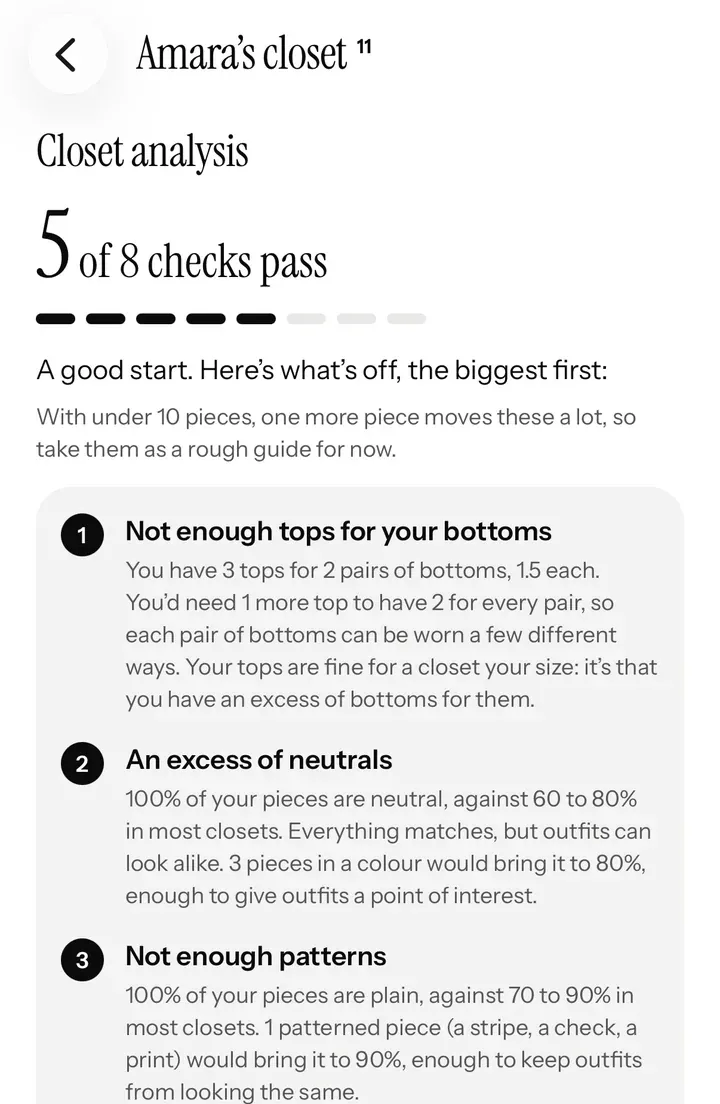
Once they’ve linked with you, every piece is on your Clients screen, ready for Closet analysis and styling.
Why it pays
Paid for once, useful at every session after.
A service of your own
Name it, price it and add it to your booking page like any other service.
A natural place to start
Pair it with a wardrobe edit: keep, alter or let go, while every piece is in your hands.
Styling from anywhere
With their whole closet on your phone, follow-ups can be a video call or a message.
They get dressed with it
They open Closetboard every morning, right next to the looks you send. Their closet stays on their phone, and in their own Google Drive if they turn on sync.
Pricing it
What to charge for digitising.
Price it like any session: the time it takes, plus what it’s worth to the client afterwards. The time depends on the wardrobe: count the pieces when you book, and time your first few sessions so your price is built on your own numbers.
Many stylists will fold it into a package (a wardrobe edit with the closet digitised, then a set of looks) rather than sell it alone. However you sell it, it’s the session that makes every later one easier to deliver from a distance.
What to charge shows the starting prices stylists in the directory publish, and works out the least you need to charge to cover your costs. Personal styling packages has ideas for putting sessions together.
Questions
Good to know.
Does my client need an iPhone?
Yes: their closet lives in Closetboard on their iPhone or iPad, which is free for them. You photograph with the app on their phone, at their home or in your studio.
Can I use photos they already have?
Yes. Photos they’ve taken before work too, as long as you can see the whole piece; each one is cut out the same way.
Where do the photos go?
Into the client’s closet on their phone, and into their own Google Drive if they turn on sync. With their say-so, the closet is shared with you.
Do I need special equipment?
No. A phone, decent light and somewhere plain to lay or hang each piece. The background is cut out for you.
Stylist mode
The rest of your business.
Ready when you are
Start your 14 days free.
Apply in a couple of minutes. We look at every stylist’s work before they’re approved, and email you as soon as we have.
Stylist mode is on iPhone and iPad. Your clients can book you from any phone or computer.