Virtual styling
Style anyone, from anywhere.
With a client’s closet on your phone, a follow-up can be a video call or a message. Build looks from what they own, send them to their phone, and see what they actually wear.
14 days free with every feature. Then from £35 a month. Cancel any time.
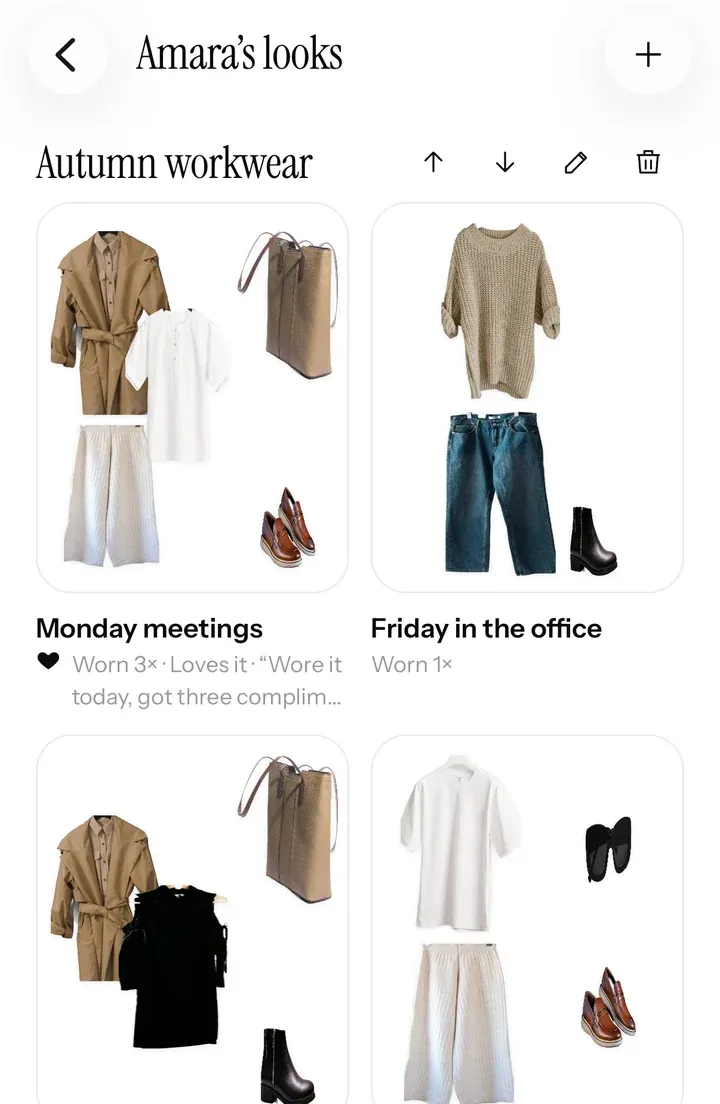
Looks from their own clothes
Build a look. Send it to their phone.
Pin pieces from your client’s closet onto a board, add something new from any shop if the look needs it, and send it. It lands in their app, next to their clothes, ready to wear.
- Albums, like “Autumn workwear” or “Wedding weekend”, in the client’s app under Styled by, with your name on them.
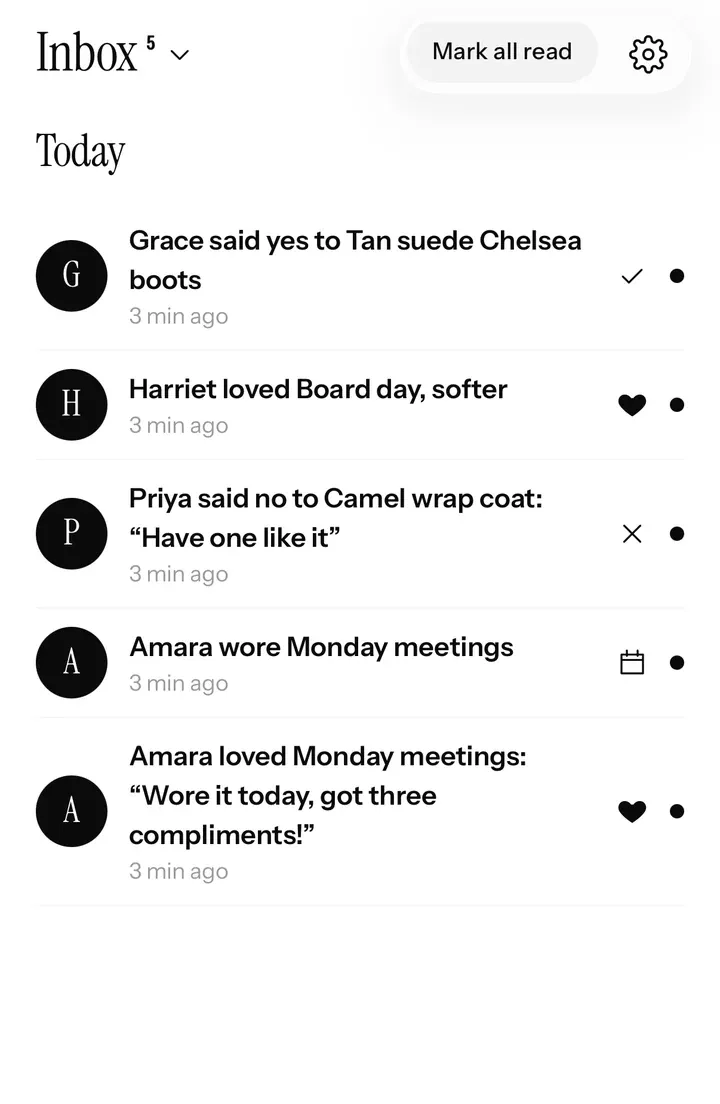
- Love it or not for me. Clients react to each look and can leave a comment, so you learn their taste session by session.
- Your notes beside each look, so they know why it works and what to wear it to.
Suggestions
Suggest the gaps, with a yes or no.
Suggest a piece to buy, with its price and a note. A yes puts it on the client’s wish list, where they can try it in outfits with what they own. A no comes with a reason: not my style, too pricey, already have one, wrong colour, won’t fit me.
- Your own library. Keep the pieces you love styling with, from shop links, screenshots or photos, apart from your own closet.
- Every answer in your inbox, so you know what to suggest next.
Proof it worked
See which looks they actually wear.
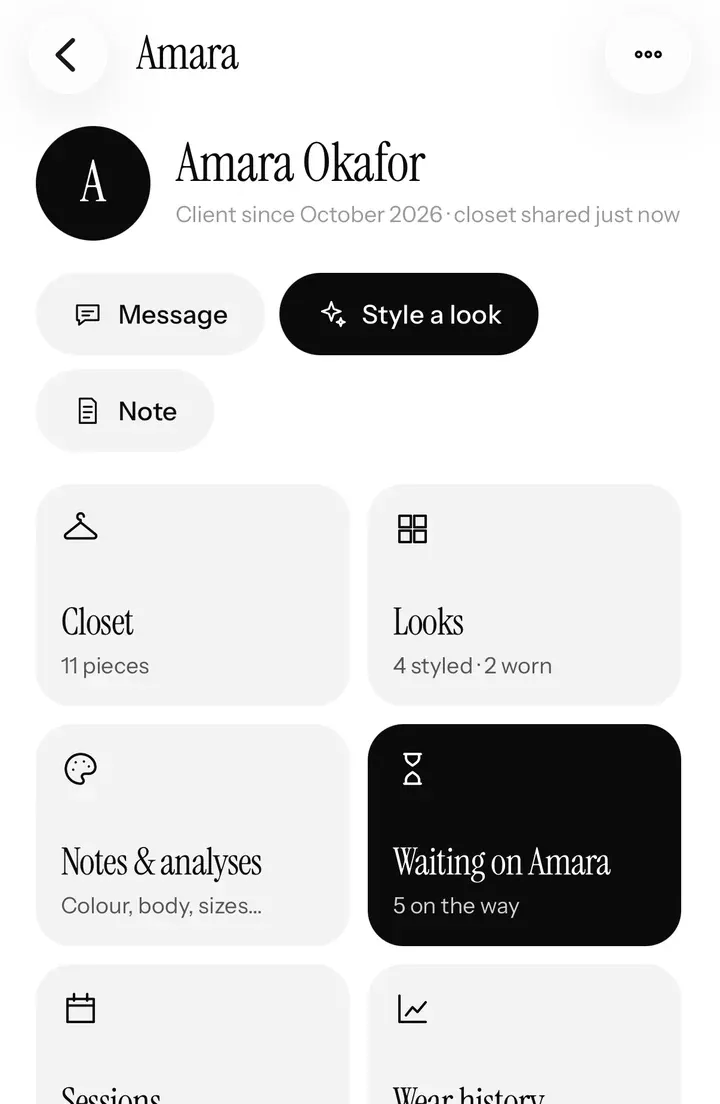
When a client wears a look, it counts. Wear history shows which of your looks they reach for and which pieces never leave the wardrobe: just what you need at the next session, and the best case for booking another.
An online session
From first call to follow-up.
Before
Send your invite link and the style consultation. Their closet arrives on your phone, or you digitise it for them first.
During
Talk over video with their whole wardrobe in front of you: keep, alter or let go, and the gaps Closet analysis found.
After
Send looks to an album, suggest the few pieces that fill the gaps, and follow up in your chat.
Next time
Wear history and their answers show what worked, so the next session starts from there.
Questions
Good to know.
Do clients need to live near me?
No. Once a client shares their closet, you can style them from anywhere, with sessions over video and looks sent to their app.
Can I suggest pieces from any shop?
Yes: add a piece from a shop link, a screenshot or a photo, with a price and a note. A yes puts it on the client’s wish list.
What does the client see?
Your looks arrive in their Closetboard app under Styled by, with your name on them, next to their own clothes. They can say what they love, comment and log what they wear.
Is it only for online stylists?
Not at all. Most stylists mix both: an in-person wardrobe edit or colour analysis, then looks and follow-ups from their phone.
Stylist mode
The rest of your business.
Ready when you are
Start your 14 days free.
Apply in a couple of minutes. We look at every stylist’s work before they’re approved, and email you as soon as we have.
Stylist mode is on iPhone and iPad. Your clients can book you from any phone or computer.