Scheduling and invoicing
Bookings, reminders, invoices. Handled.
Clients book into your free times, reminders go out by themselves, and every session is invoiced and added up. You set the rules once.
14 days free with every feature. Then from £35 a month. Cancel any time.
Your hours, your rules
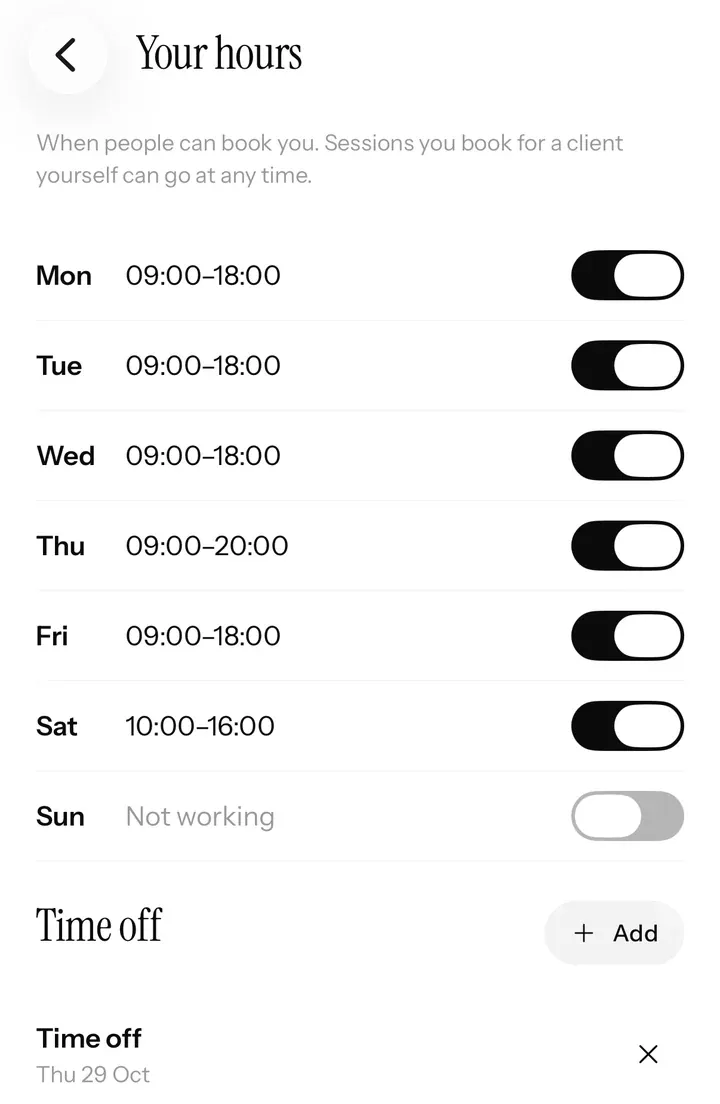
Clients book the gaps. Your rules decide them.
- Time between sessions, and start times every 15, 30 or 60 minutes.
- How far ahead and how much notice people can book.
- Confirm first, if you like. Accept every booking yourself, or let them go straight in; requests wait for you in a list.
- Moves without the back-and-forth. Let clients move a booking themselves, until a cut-off and up to a number of times you set.
Cancellations and calendars
Your time, protected.
- Late cancellations: free to cancel until a cut-off you choose; after it, a late fee of 25 to 100%, and a no-show fee if you want one.
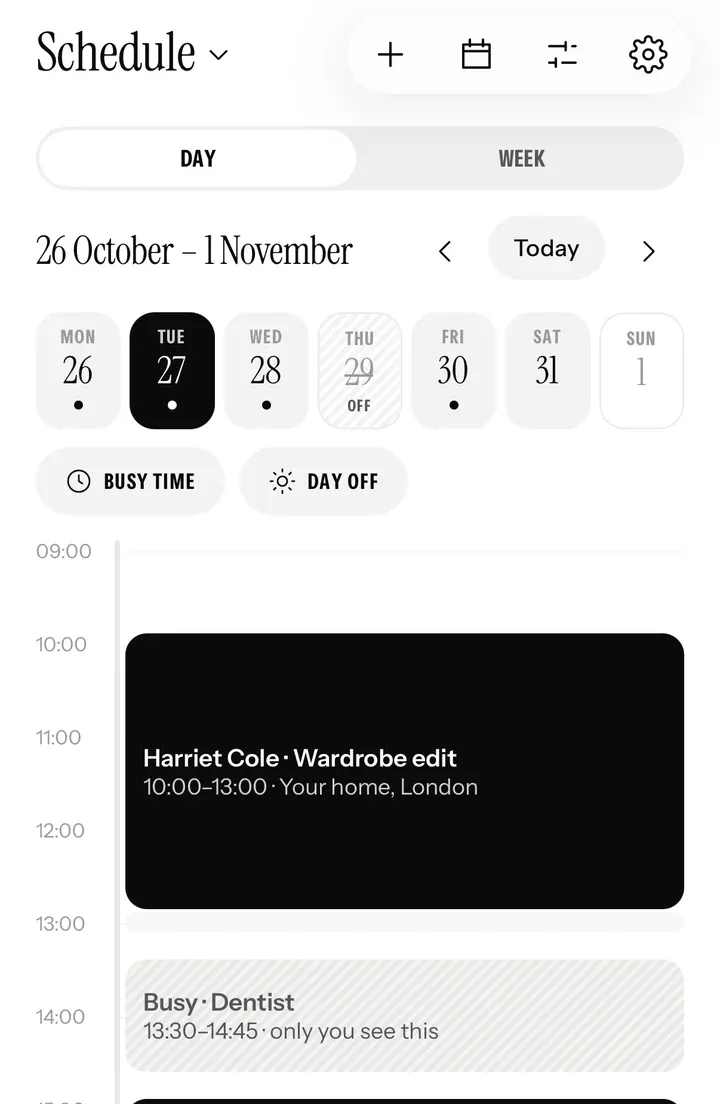
- Busy time and days off, blocked right from your Schedule. Nobody can book them, on your page or in the app.
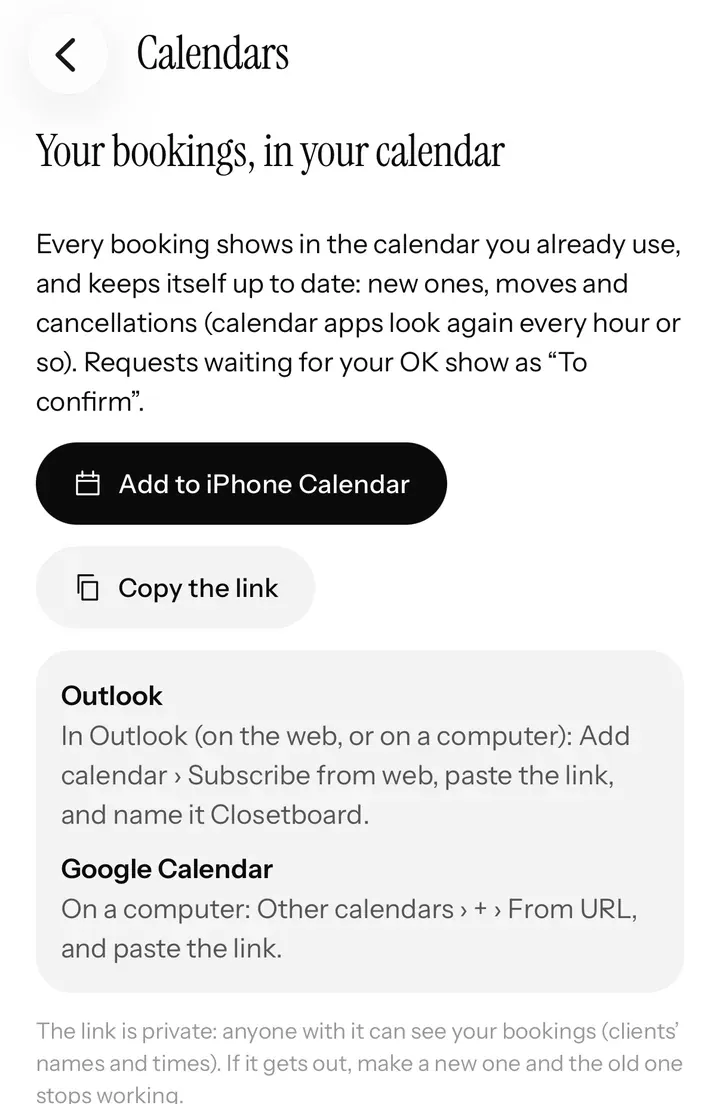
- Your other calendars. Bookings appear in iPhone Calendar, Outlook and Google Calendar, and your busy times there stay free of bookings.
Automatic messages
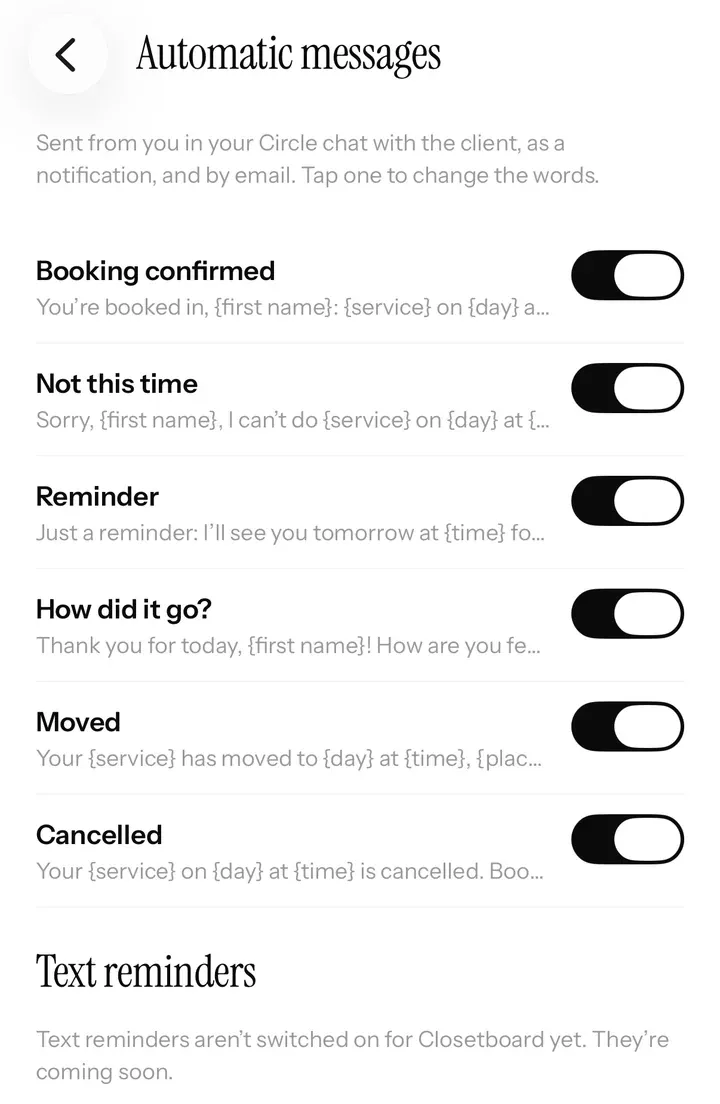
Reminders go out without you.
Every booking sends the right message at the right time, from you: in your chat with the client, as a notification on their phone, and by email. Guests who booked on your page get the emails, with a link to move or cancel.
- When they book: “You’re booked in”, straight away, with the time, place and price.
- The day before: a reminder, from 8am, so nobody forgets.
- After the session: a thank-you, two hours later or when you choose, with a link for a review.
- In your words. Rewrite any message with their details filled in, like {first name}, {service} and {time}, or turn one off.
Text reminders are coming soon: a short text the day before, for clients who ask for one.
Invoices and revenue
Know exactly how business is going.
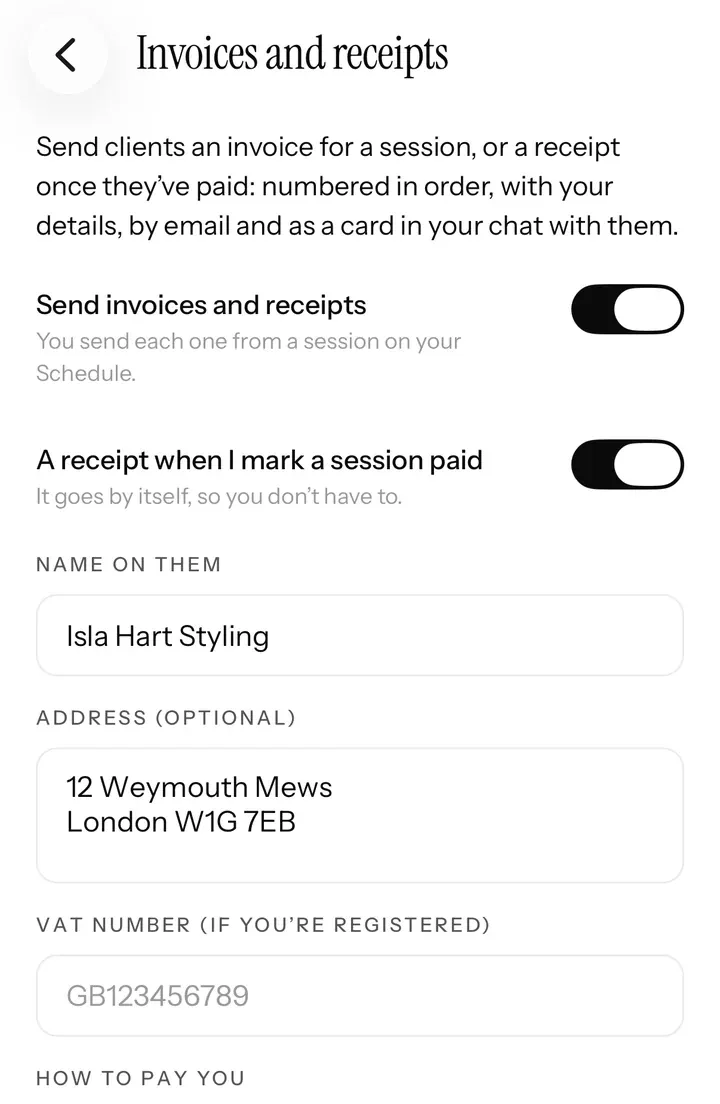
- Numbered invoices and receipts, with your business name, address and VAT number, sent by email and in your chat. Receipts can go out by themselves.
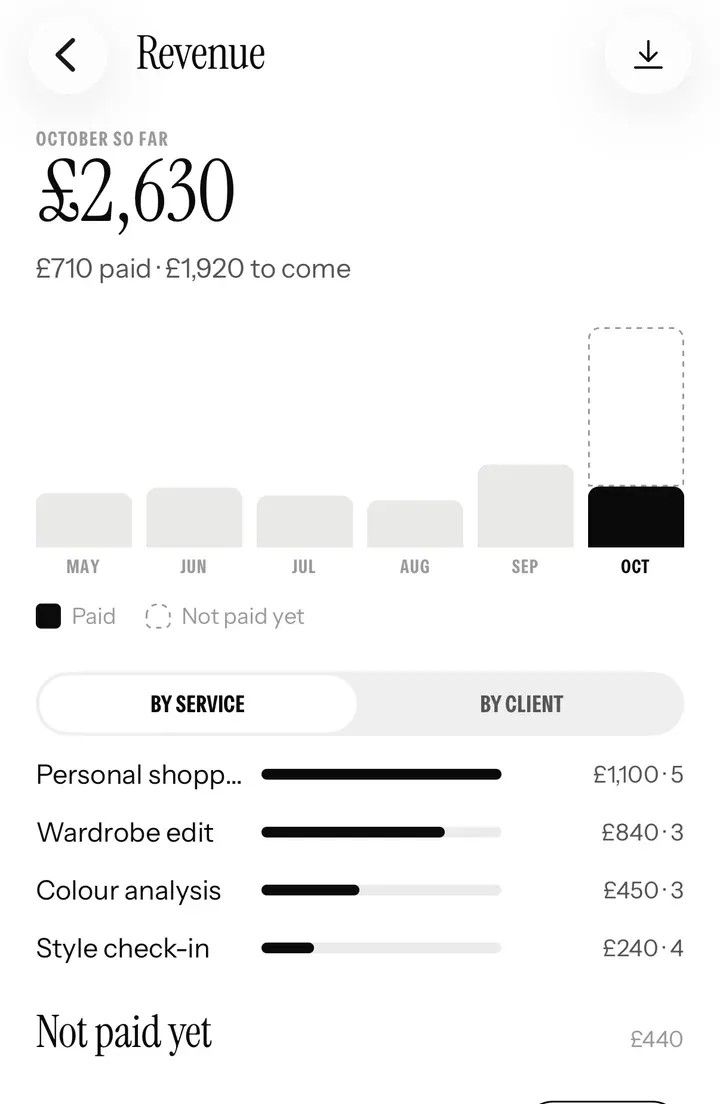
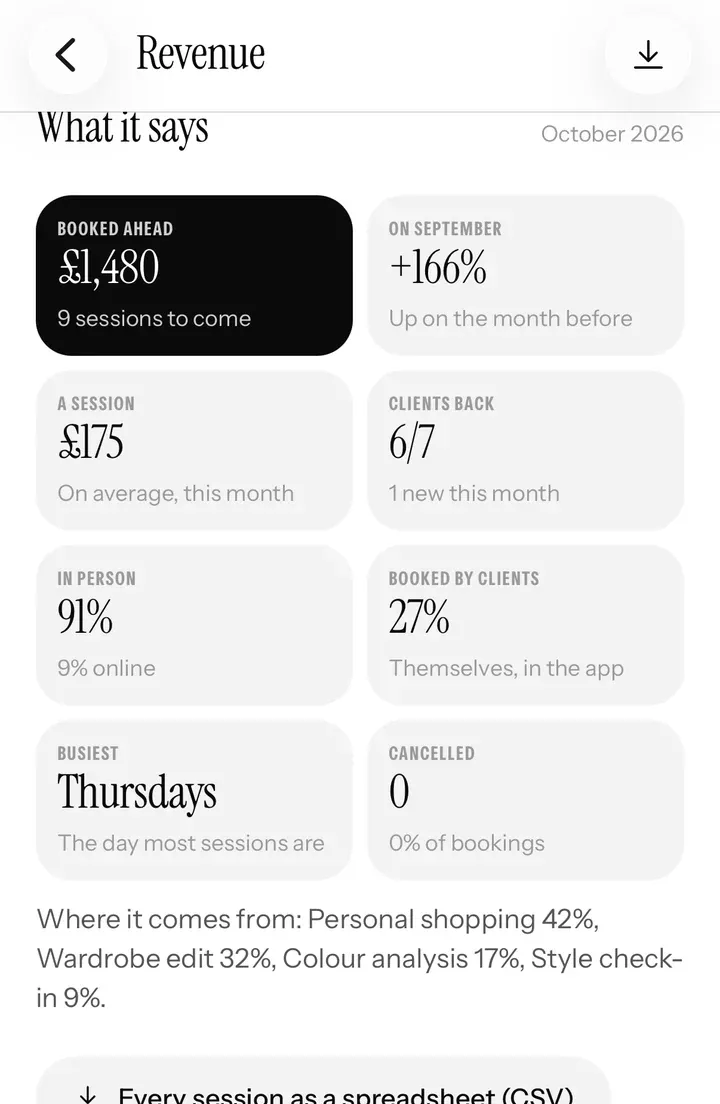
- Revenue: the month so far, six months side by side, by service or by client, and a list of what’s not paid yet with a Mark paid button.
- Insights: change on last month, average session value, returning and new clients, in person or online, your busiest day, cancellations and fees.
- Ready for your accountant: every session as a spreadsheet, with invoice numbers, in one tap.
Clients pay you directly, by bank transfer, card reader or cash, and you mark each session paid. Card payments in the app are on the way.
Questions
Good to know.
Does it sync with Google Calendar?
Yes, with Google Calendar, Outlook and iPhone Calendar. Bookings show there, and the times you’re busy there stay free of bookings.
Can clients cancel or move a booking themselves?
Yes, until a cut-off you set. After it, your late-cancellation fee applies, and you can add a no-show fee too.
Do you send text reminders?
Text reminders are coming soon. Today, reminders go out in your chat with the client, as a notification on their phone and by email.
Are the invoices numbered, with my VAT number?
Yes: numbered, with your business name, address and VAT number if you have one. Ask your accountant what yours need to show.
Can I take card payments?
Clients pay you directly for now, by bank transfer, card reader or cash, and you mark sessions paid. Card payments in the app are on the way.
Stylist mode
The rest of your business.
Ready when you are
Start your 14 days free.
Apply in a couple of minutes. We look at every stylist’s work before they’re approved, and email you as soon as we have.
Stylist mode is on iPhone and iPad. Your clients can book you from any phone or computer.